Posted on

R_volution PlayerPro 8K TV

R_volution PlayerPro 8K TV

High‑end Universal Media Player With Premium Streaming

Experience Netflix, Disney+, Prime Video, and other streaming services in the highest quality possible.

Discover the R_volution PlayerPro 8K TV — an elite media powerhouse featuring Dolby Atmos, Dolby Vision and HDR10+ for breathtaking visuals, with seamless access to Netflix, Disney+, Prime Video, Hulu, Apple TV, MAX, YouTube, Paramount+, Warner TV, Peacock, Fox News, CNN, BBC, ARTE and more in the highest streaming quality. This player boasts a robust linear power supply anchored by a large toroidal transformer. At its core lies the powerful Amlogic S928X and S905X4-K chipsets, complemented by and a precision TCXO clock. It comes with R_video, an agile and contemporary Media Center software, perfect for curating your video file library.

The R_volution PlayerPro 8K TV comes with a dual HDD enclosure capable of hosting up to 64TB of movies,TV shows and concert files. It offers dual HDMI output and dual HDMI input, compatibility with the latest AV1 codec up to 8K resolution in HDR and delivers stunning picture and sound quality to meet the needs of the most demanding home theater enthusiasts.

Posted on

Android Apps and Streaming Services

Android TV and Netflix-certified models

Media players with Android TV and Netflix certifications have excellent support for Android apps and streaming services.


Non-Android TV models

Not all Android apps and streaming services may work in non-Android TV models.
No official Netflix support. Netflix support is not guaranteed.
It may work with problems or stop working at any time.


The main purpose of non-Android TV media players is the playback of high-end audio/video content from local sources (HDD or NAS) with the best possible quality and convenience, using the pre-integrated and optimized built-in software, which is available “out-of-the-box”, w/o the need to install and configure any apps.

In these non-Android TV media players, support for Android apps and streaming services is only an additional function. Many Android apps and streaming services work, but some apps may not work or may have limited functions, because of various reasons, such as licensing restrictions, technical incompatibilities, or apps not optimized for the hardware/software platform used by non-Android TV media players.

If you want guaranteed and best possible support for various Android apps and streaming services, use an Android TV/Netflix-certified media player.

Posted on

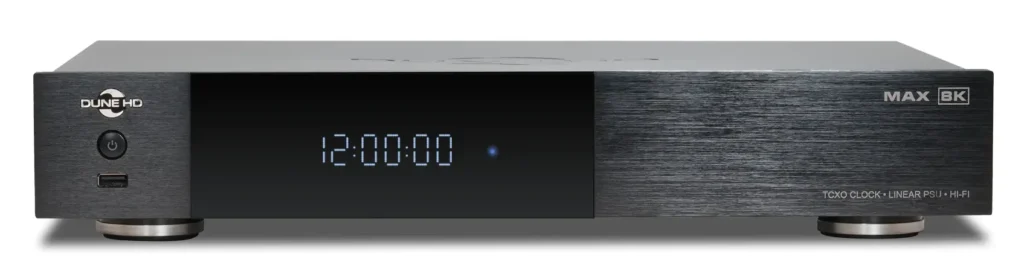
Dune HD Max 8K

Dune HD Max 8K

Dune HD products are designed with a clear philosophy: prioritize signal integrity, hardware quality, and long-term reliability over mass-market convenience. While many media players focus primarily on streaming apps, Dune HD builds platforms that function as serious audio/video source components.

A defining advantage is format compatibility and playback precision. Dune HD Max 8K players are known for wide codec and container support, including full Blu-ray structures, ISO playback, advanced HDR formats, and high-bitrate video files. Instead of transcoding or altering content, the goal is accurate, bit-perfect output that preserves the original source.

Another major strength is hardware-oriented engineering. Many Dune HD Max 8K models incorporate features uncommon in standard streaming boxes, such as robust metal enclosures, high-quality internal components, and optimized signal pathways. These design choices reduce electromagnetic interference, stabilize internal temperatures, and improve overall system consistency. The result is dependable performance even with demanding, high-bitrate media files.

Power architecture is also treated seriously. Select models integrate linear power supplies or enhanced filtering stages, reducing electrical noise that can affect sensitive digital circuits. Clean power contributes to lower noise floors and improved timing stability — important for both high-resolution audio playback and stable video output.

Clock precision is another focus. By using improved oscillator designs in higher-end models, Dune HD minimizes jitter and timing inconsistencies. Stable clocking enhances synchronization between digital processing stages and downstream equipment, supporting clearer audio reproduction and reliable HDMI transmission.

Connectivity flexibility further differentiates the brand. Dune HD players typically offer multiple digital output options — HDMI with advanced surround passthrough, optical and coaxial S/PDIF, USB audio output, and in some cases dedicated DAC-optimized ports. This allows seamless integration with AV receivers, processors, and external DACs across a wide range of system configurations.

Local media support remains one of the strongest advantages. Dune HD Max 8K products are engineered for users with extensive movie libraries stored on internal drives, external USB storage, or network-attached storage systems. Full menu navigation, high-bitrate file handling, and stable network playback make them particularly well-suited for disc-rip collections and NAS-based environments.

Operational stability is equally important. Thoughtful thermal management, solid construction, and optimized firmware contribute to consistent long-duration playback without overheating or unexpected dropouts. For users running dedicated home cinema rooms, reliability matters as much as raw performance.

In practical terms, Dune HD Max 8K products serve a different audience than mainstream streaming devices. They are built for users who maintain curated local libraries, use quality AV receivers or DACs, and expect accurate, uncompromised signal delivery. The emphasis is on preservation of content integrity rather than ecosystem convenience.

For home cinema and hi-fi systems where the source component sets the foundation, Dune HD Max 8K positions itself as a stable, precise, and performance-oriented platform — engineered not just to play media, but to deliver it correctly.

Posted on

R_VOLUTION – R_video version 1.9.39

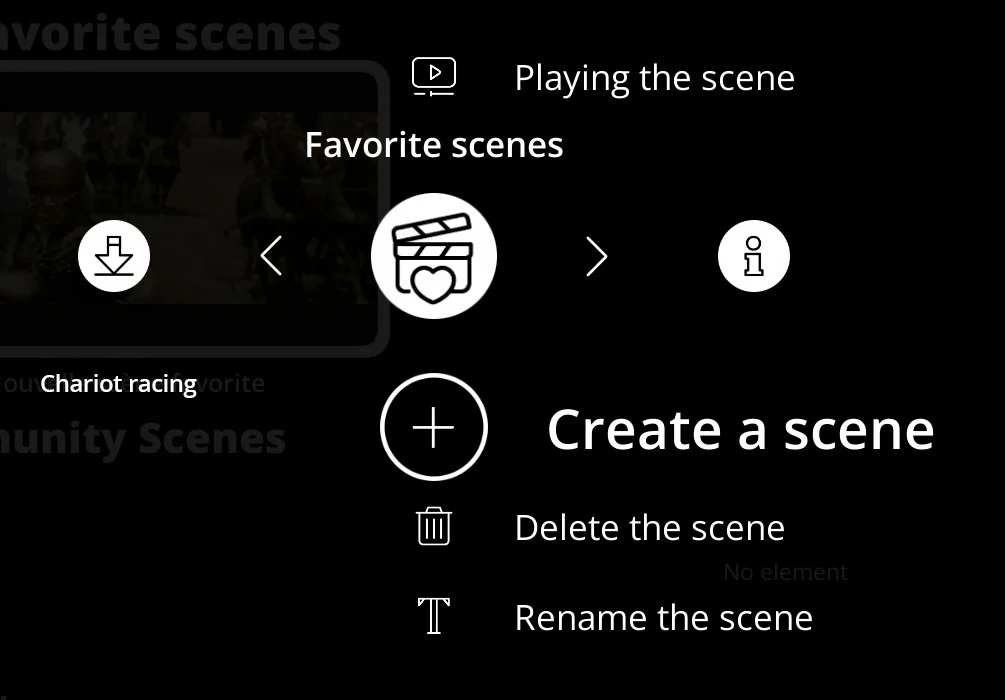
The latest R_video version adds amazing new features including Favorite Scenes and multiple categorization.

New features
Favourite scenes (incompatible with Zappiti players from the HDR range or older): the ability to create favourite scenes, play them or associate scenes from the user community. Click here to see the tutorial… Built-in video player (optional) for PC and Mac versions. Note: the built-in video player does not manage ISO or structure video files.Multiple operations: the ability to delete or add multiple items at once in a category. Click here to see the tutorial… Multiple operations: the ability to delete or add multiple items at once in a group. Click here to see the tutorial…

Improvements

  • While loading the collection, the “Back” button now has an immediate effect.
  • The date is now ignored in the title (if inside parenthesis) when re-identifying video content.
  • For R_volution NAS users, new option to disable the files renaming and moving function.

Fixes

  • Fixed the R_volution Share function that no longer worked on some R_volution players.
  • Fixed the viewing status of series that sometimes did not update correctly.
  • Fixed various translations in German and Spanish.
  • The duration of the films in synopsis were incorrect for some Blu-ray iso or structure encoded in seamless branching.

All R_volution players at https://mediaplayer.store/product-category/r_volution/

Posted on

The new version of R_video

R_video: Changes in version 1.7.32 Beta

New features

New option to set a category as a video type. All items associated with this category will be hidden in the MOVIES, TVSHOWS, PERSONAL VIDEOS, and TOP MOVIES menus but will still be displayed in the other menus. For instance, you can set the CONCERTS category as a specific type. In this case, all concerts will be hidden in the MOVIES, TV SHOWS, PERSONAL VIDEOS, and TOP MOVIES categories. You can then add the CONCERTS category to the left menu bar for direct access to your concerts. 

The trial version for the new users is limited to the identification of 5 films or concerts and 40 episodes of the series maximum.

Improvements

  • Now it is possible to manually reorder categories.
  • Smoother transition between the fixed screen background and the animated background.
  • External .srt subtitles are now taken into account in the synopsis after a scan.
    Ability to manually add an Auro3D track in the synopsis.
  • Improved Italian translations.

Fixes

  • The app is no longer minimized when launching a video.

More Info and Download

Posted on

Dune HD Graphical User Interface

GUI
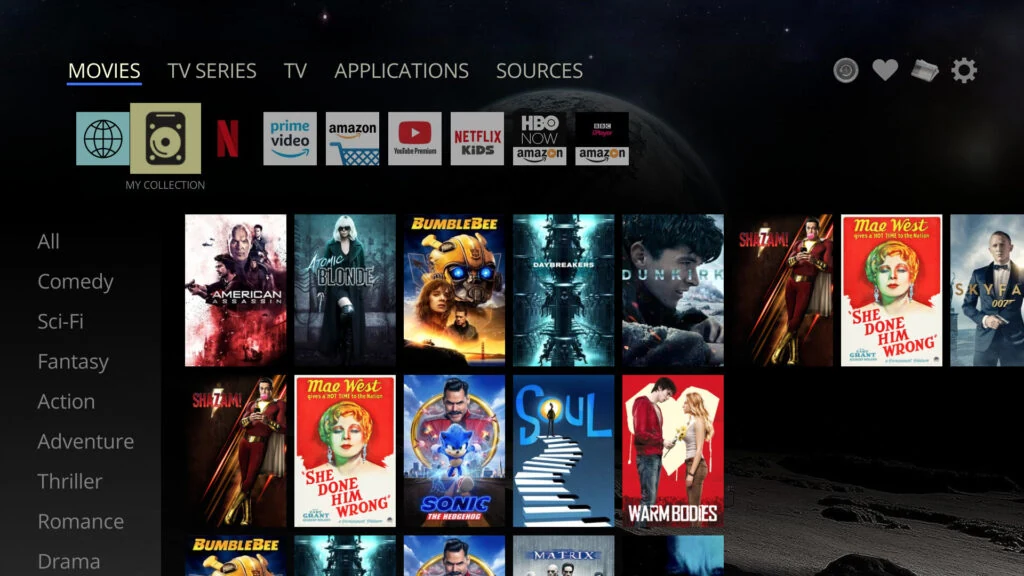
  • New overall main screen design, which makes the available content visible immediately.
  • New main menu at the top of the screen.
  • The content corresponding to the main menu items is shown immediately when the cursor moves through the items.
  • New “Movies” menu: shows “regular” movies (not TV series) from online services and My Collection.
  • New “TV Series” menu: shows TV series from online services and My Collection.
  • New “TV” menu: shows TV channels (supported in some regions), or provides access to the favorite TV app.
  • New “Applications” menu: combines “Android applications” and “Dune HD applications” submenus.
  • The menus “Sources”, “Favorites”, “Recent”, “Setup” are still available and work the same way as before.
Dune HD Trailer

  • New look of poster walls: each category as a horizontally scrollable row.
  • New menu with quick overview of available categories at the left of the screen.
  • Netflix-like view with the information about the currently selected poster at the top.
  • Netflix-like video preview for the currently selected poster.
  • Some of the new features can be configured in “Setup / Appearance / Additional” menu: use Netflix-like view or fill the entire screen with posters, show video preview or not, show the new left menu automatically or not.
  • All previous ways how the GUI can look are still available – just choose another GUI skin in “Setup / Appearance / Main” menu.

My Collection

Dune HD My Collection
  • My Collection is now integrated as a submenu into the new “Movies” and “TV Shows” menus.
  • My Collection settings are available via POP UP MENU / “Collection Management” and “Setup / My Collection”.
  • Various improvements in automatic and manual movie matching, especially with respect to the handling of TV shows.
  • The possibility to manually edit season/episode number (“Edit Movie Information…” / “Choosen association” / POP UP MENU / “Edit Season and Episode…”)..
  • The server part of My Collection has been upgraded, which solves a lot of “can not find a matching movie” problems.
Dune HD My Collection movie
  • The old view of My Collection is available via “Applications / Dune HD applications / My Collection”.
  • Support for “Movie collections” (also known as “Movie sagas”).
  • New categories “Continue Watching”, “Newly added”, “By Name”, “By Year”.
  • Display of watch progress for movies directly in the main menu.
  • Improved handling of TV shows, in particular, when resuming playback of a TV show.
  • Press “A” button in any folder and this folder will be immediately switched into a Netflix-like view (as in My Collection).
  • Movies and episodes in this folder will be automatically recognized and presented correspondingly. Only confirmed matches are shown to avoid showing incorrect matches.
  • Press “A” again to switch back to to the default view.
  • The latest chosen view is remembered for each folder.
  • If the folder contains episodes of a TV series, a special various of this view is used, optimized for TV series.

  • The watching progress for each file is indicated.
  • If some file is not recognized as a movie, use POP UP MENU / “Edit Movie Information” to confirm the matching movie.
  • If some episode has no correct season/episode number, use POP UP MENU / “Edit Movie Information…” / POP UP MENU / Edit Season and Episode…”
  • If the folder is a part of My Collection — this new view is enabled by default.
  • It is recommended to add folders with movies and TV series to My Collection and index them. This will improve the performance of this new view and will help to properly recognize folders and subfolders in the file browser in more cases.

Website https://dune-hd.ca/

All Dune HD players at https://mediaplayer.store/product-category/dune-hd/


Posted on

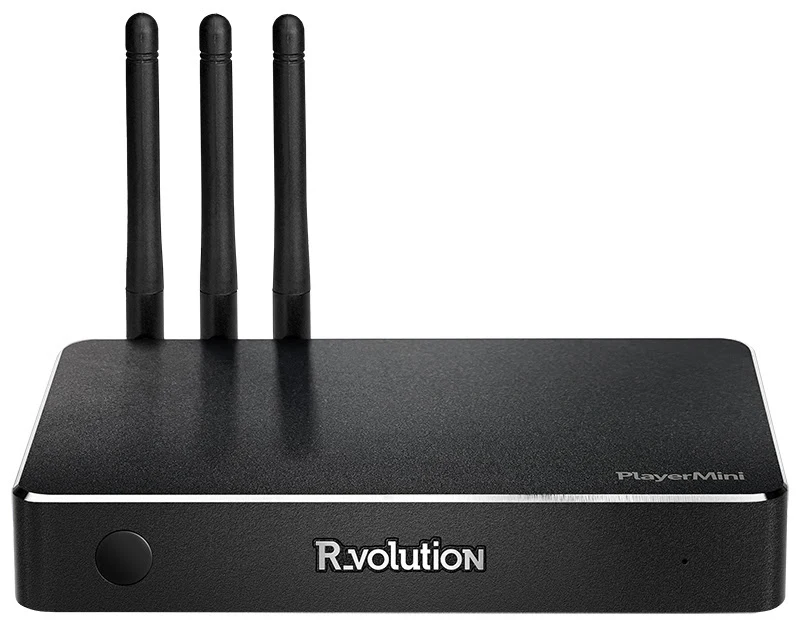
R_volution has launched the new PlayerMini

A compact multimedia player compatible with Dolby Vision and HDR10+, equipped with the Amlogic S905X4-K processor.

R_volution PlayerMini

The R_volution PlayerMini is designed to play movie, concert and series files from a networked NAS or an external hard drive connected via USB. Integrate the popular R_video Media Center application to manage your video library. The R_volution PlayerMini is compatible with 4K video files in HDR and offers excellent picture and sound quality to meet the needs of demanding home cinema enthusiasts.

Main technical characteristics

– Lightweight and compact
– 4K Ultra HD
– Dolby Vision and HDR10+
– Dolby VS10 video processing
– AC-4, Auro3D, Dolby Atmos and DTS:X
– DSD, WAVE, AIFF, FLAC and AAC up to 7.1
– MKV, M2TS, BD ISO, UHD ISO
– Forced subtitles
– Free Media Center R_video (no subscription necessary)
– Multiroom
– Parental control
– High-quality covers
– Animated backgrounds
– Original soundtracks

https://www.rvolution.com/r-volution-playermini